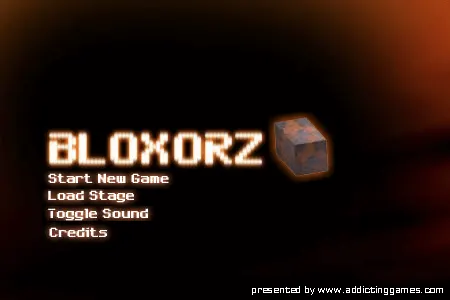
Bloxorz box art
Classic WebRelease Year: 2005Damian Summer (DX Interactive)★★★★☆ (4/5 Recommended)

Bloxorz

The definitive 33-stage spatial block rolling logic puzzle in WebAssembly

Roll a 1x1x2 rectangular prism across floating platforms into the square exit hole. Master block orientations, soft/heavy switches, and fragile orange tiles.

💻 Chromebook Tested📱 Touchscreen Ready

Where to Play Online (Verified Sites & Ad Disclosures)

3 Sources Verified
wasmarcade.appAd-Free

Non-profit open-source web container, 100% ad-free instant play

Play Game on Site↗
wasmarcade.comContains Ads

Commercial arcade portal (contains banner & video ads)

Play Game on Site↗
Newgrounds / Flashpoint ArchiveContains Ads

Original Flash web preservation community archive

Play Game on Site↗

📖Gameplay Strategy & Preservation Notes

Bloxorz requires maneuvering a 1x1x2 rectangular block across suspended tile platforms and dropping it upright into a 1x1 square exit hole. The challenge lies in arriving with the correct orientation: moving sideways shifts position without changing orientation, while rolling along the block's length changes its footprint from upright (1 square) to flat (2 squares).

The Three Spatial Block Orientations

An intact block exists in one of three spatial states at any given moment:

Starting StateRoll DirectionResulting State & Footprint
Upright (1x1)Any Direction (W/A/S/D)Lies flat across the next 2 squares
Flat along RowLeft / Right (along length)Stands upright on the square beyond the end
Flat along RowUp / Down (across width)Shifts one row while remaining flat
Flat along ColumnUp / Down (along length)Stands upright on the square beyond the end
Flat along ColumnLeft / Right (across width)Shifts one column while remaining flat

⌨️Controls & Keybindings

ActionKeyboard / MouseGamepad / Controller
Roll Block UpUp Arrow / WD-Pad Up
Roll Block DownDown Arrow / SD-Pad Down
Roll Block LeftLeft Arrow / AD-Pad Left
Roll Block RightRight Arrow / DD-Pad Right
Switch Split PieceSpacebarX Button

💡Frequently Asked Questions & Secrets

How do I activate heavy X-shaped switches?▼

Heavy X-shaped switches require the block to stand fully upright (1x1 footprint) directly on top of them. Rolling over an X-switch while lying flat will not depress the switch.

Device & Hardware Compatibility

Chromebook & Low-End Laptop
✅ Smooth 60 FPS in Chrome
Touchscreen & Tablet
📱 Touch Controls Active
Gamepad / Controller
⌨️ Keyboard Only

More Classic Web Games

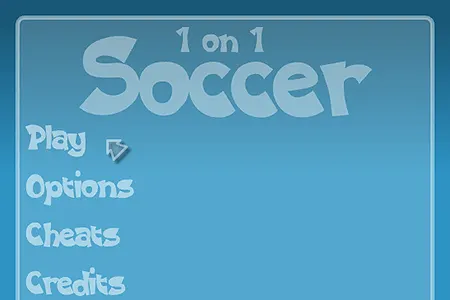
1 on 1 Soccer cover
Classic Web
★★★★☆

Play 1 on 1 Soccer online in your browser. Preserved via open-source Rust Ruffle WebAssembly emulator with zero plugins, Chromebook ready, and local saves.

Year 2005Ad-Free Available
💻 Chromebook📱 Touch
3 Playable SitesWhere to Play→